What happens between taking a step and seeing a reward?
A virtual-pet step tracker does not usually create a step total from the pet animation itself. A device or connected source records movement, the operating system controls access, the app reads the information it is permitted to use, and game rules translate eligible steps into a visible response.
Apple documents step count as a HealthKit quantity type, while Android documents step records within Health Connect. Those platforms provide ways to store or access health-and-fitness information, but each app still decides what it requests, when it synchronizes, and how eligible steps affect its game.[1][2]
- The device records movementA phone or connected source creates step-count data.
- A health source supplies itThe operating system or connected service makes activity information available through its supported data model.
- The user grants accessThe operating system presents the app's requested permission flow.
- The app reads eligible stepsThe app receives information available through its implementation and granted access.
- Game rules translate movementThe app maps eligible steps to a goal, resource, companion, collection, or environment.
- The virtual pet respondsAnimation, growth, care, currency, or another visible change closes the loop.
Do virtual-pet step trackers need location access?
Not necessarily. Step-count access and continuous location tracking are different capabilities. An app can use step information from a supported phone or health platform without drawing a GPS route. A particular app may request location for a separate feature, so users should evaluate the actual permission prompt and privacy explanation rather than infer it from the word pedometer.
Permissions should be understandable in context: what data is requested, why the feature needs it, and what happens if access is not granted. Operating-system permission screens provide part of that explanation, while the app and its privacy policy should explain the product-specific use.
What role can a wearable play?
A connected wearable may contribute activity data through the health ecosystem an app supports. Whether those steps appear, how duplicates are handled, and when they synchronize depend on the devices, services, permissions, and app implementation. Users should not assume every wearable works with every walking game.
Can a pet react before everything synchronizes?
It can, depending on how the app is designed, but delayed synchronization is also possible. A phone may record movement at one time and make a revised total available later. A responsible interface should avoid implying that one temporarily displayed value is the only possible source of truth.
Why can two step trackers show different totals?
Different totals do not automatically mean that one app is a game and the other is a counter. Step reporting can vary because of device hardware, where a phone is carried, connected wearables, data-source priority, duplicate handling, permissions, background behavior, synchronization timing, and each app's rules for eligible steps.
The practical response is to compare like with like. Check whether both apps are reading the same source, using the same time window, and showing the latest synchronized information. If a discrepancy persists, the app's support documentation is more useful than assuming all phone pedometers should produce identical values.
Why does a virtual companion change the experience?
A chart can begin again each day, while a persistent companion can connect today's activity with yesterday's progress. The character may grow, react, unlock items, inhabit a changing room, or become part of a collection. That continuity can appeal to people who already enjoy care, collecting, customization, or world-building.
The companion changes the meaning and presentation of the feedback, not the medical significance of the number. It gives the user a next action—check in, care, collect, decorate, or continue—after the step total is recorded.
| Virtual-pet system | What steps may affect | Type of continuity |
|---|---|---|
| Growth | Age, level, form, or ability | The companion visibly develops |
| Care | Food, energy, mood, or interaction | The user returns to look after something |
| Collection | Pets, outfits, expressions, or objects | The set expands over time |
| Environment | A room, home, cafe, garden, or town | Movement changes a persistent place |
| Narrative | Scenes, dialogue, chapters, or journeys | Walking moves an unfolding story |
| Social | Visits, gifts, groups, or rankings | The companion exists in a shared context |
Supportive design vs pressure-heavy design
A virtual pet naturally invites care, which makes the boundary between encouragement and pressure important. Supportive design makes progress visible and returning understandable. Pressure-heavy design turns the character into a threat, makes loss disproportionate, or prevents users from controlling attention and social exposure.
| Design choice | Supportive approach | Pressure-heavy approach |
|---|---|---|
| Missed goal | Offers a calm next step | Uses shame or severe loss |
| Reset | Preserves understandable long-term progress | Erases disproportionate progress without warning |
| Progress | Shows several forms of growth | Treats one number as complete success or failure |
| Companion | Encourages care and return | Uses distress to force activity |
| Notifications | Clear, relevant, and manageable | Relentless urgency or guilt |
| Social layer | Controlled, friendly context | Unavoidable public comparison |
| Privacy | Explains data and visibility | Hides access or sharing behind the theme |
What should happen on a quiet day?
There is no single required mechanic, but the consequence should be clear and proportionate. A user should be able to return after travel, illness, a busy period, or a change in routine without the experience presenting interruption as a personal failure.
How much attention should the pet demand?
That is a product choice and a user preference. Some people enjoy frequent care interactions; others want the pet to react only when they open the app. Notification controls and predictable rules allow the same theme to fit more than one attention style.
What does StepCat's loop include?
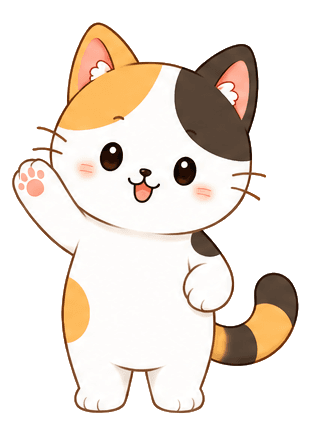
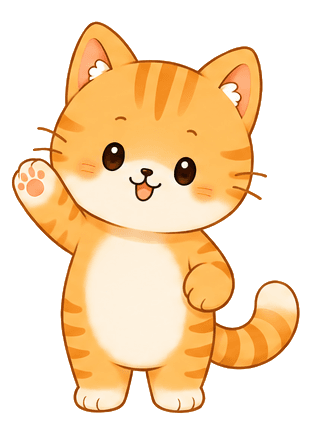
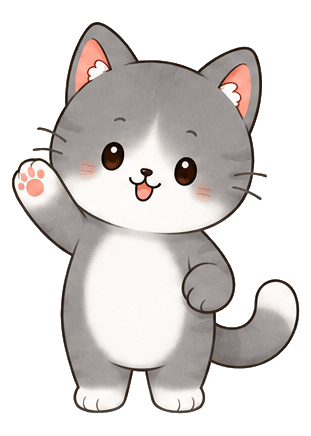
StepCat's virtual-companion loop centers on cats living in a cafe. Walking supports Paw Coins and cafe progress. Cat care, decor, friend visits, gifts, and weekly standings give the same movement several visible destinations inside the product.
The product does not present its cats as medical treatment or as a way to determine a universal daily target. StepCat is a walking-motivation game for people who want their own activity to feel connected to cats, collecting, a cozy place, and light social participation.
- WalkThe user's eligible movement is reflected in StepCat.
- See progressThe step total connects with Paw Coins and cafe progress.
- InteractCats, care, decor, friends, gifts, and weekly standings give that progress context.
- ReturnThe cafe remains a place the user can revisit after the walk.
Common questions
Frequently asked questions
Can a virtual-pet step tracker work with a smartwatch?
It may, if the app supports a health source that receives compatible wearable data. Support, synchronization, duplicate handling, and eligible-step rules vary, so users should check the specific app and device documentation.
Does a virtual pet have to lose progress when I miss a day?
No. Loss is a design choice, not a requirement of virtual-pet tracking. A product can preserve long-term progress, offer flexible goals, use weekly patterns, or simply make it easy to resume.
Can I use a virtual-pet tracker alongside another fitness app?
Often yes, provided the apps and operating system support the relevant data access. Totals may still differ because the apps can use different sources, time windows, synchronization behavior, or eligibility rules.
Primary references
Sources and further reading
- HealthKit step-count data type — Apple Developer Documentation
- Health Connect data types — Android Developers
Product-specific statements describe StepCat. General walking information is educational and is not medical advice.